Short answer: ChatGPT Business Hub is OpenAI's free dashboard for claiming your business in ChatGPT, in beta since November 10, 2026. Claim your profile now. You can update your business details, get a blue verified badge after a Persona ID check, connect a product feed and see how often ChatGPT mentions you. Claiming gives you a say in the facts ChatGPT uses. Its recommendations still depend on your website and what other sites say about you.
The November 2026 shift in AI commerce
OpenAI launched Businesses in ChatGPT on November 10, 2026, with Business Hub as the dashboard. The beta is less than two weeks old, and most online stores have yet to claim their profiles.
We saw something similar with Google Business Profile and Google Merchant Center. Businesses that signed up early had time to get their details right before more competitors arrived. We expect the same here. That's our view.
OpenAI says 1.2 billion people use ChatGPT each week. Its usage research put shopping at about 2% of messages, or roughly 50 million shopping questions a day.
Until now, ChatGPT has picked up most stores' details from whatever it found online, including old pages and third-party product listings. With Business Hub, you can supply those details yourself.
What is ChatGPT Business Hub (and why is everyone confused)?
OpenAI introduced three names at once. Here's what each one does.
| Name | What it is |
|---|---|
| Businesses in ChatGPT | OpenAI's program for businesses, in beta since November 10, 2026 |
| Business Hub | The dashboard at chatgpt.com/business-hub or in the ChatGPT sidebar. Claim your business, edit its profile, connect a product feed and view Insights here |
| Business Agent | A chat on your profile that answers shoppers' questions using information you supply. Currently available to eligible US ecommerce and online service businesses |
Why waiting hurts your shop
ChatGPT already has listings for many businesses. If yours exists, claiming it lets you update what's there.
Changed your phone number or return policy? ChatGPT may still show the old one. Shoppers also have no blue badge to tell them you've verified the profile.
Four reasons acting early gives your shop an edge
1. Your product feed, straight into ChatGPT
Once verified, you can connect your feed through Shopify, upload a CSV that follows OpenAI's specification or supply a hosted URL. Each product needs a price and availability.
When someone asks what a product costs or whether it's in stock, ChatGPT can use the details you supplied. For a shop that changes prices or runs out of stock, that matters.
2. The blue verified badge
Persona, OpenAI's identity verification partner, has to approve your ID check before the blue badge appears.
If a shopper is comparing two stores, we'd expect the badge to give them one more reason to click yours.
3. First-party Insights from month one
Insights covers the past 28 days. It shows how often ChatGPT mentioned you, how many clicks it sent to your website and the topics that brought up your business. You see combined totals once enough people have interacted with your business.
Start now and you'll have a baseline by next month. You'll be able to see whether your numbers are moving while competitors who wait have no history at all.
4. A branded Business Agent on your profile
Eligible US ecommerce and online service businesses can build, test and publish a Business Agent. Shoppers can ask it about shipping, returns or how two products compare. It answers in the chat using the information you've supplied.
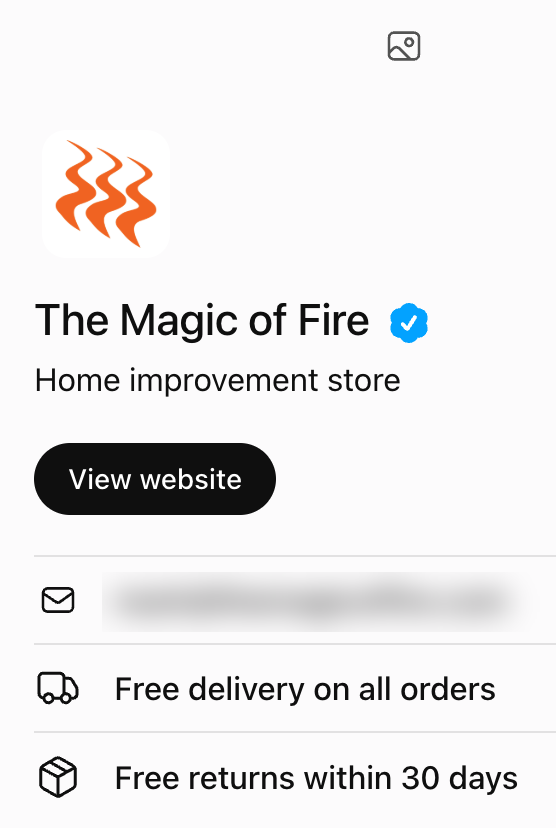
We claimed and verified the author's own e-commerce store, The Magic of Fire, and published its Business Agent on November 18, 2026.
The reality check: what claiming your profile does not fix
OpenAI's Help Center says claiming "doesn't guarantee increased visibility or give you direct control over ChatGPT's independent recommendations." ChatGPT can still use other sources to describe your business. Paying for ads won't change its recommendations either.
Insites tested prompts written the way customers might ask them. The businesses that had claimed their listings appeared no more often, ranked no higher and were described the same way.
First-week results from The Magic of Fire
The Magic of Fire, the author's own e-commerce store, was verified in Business Hub in mid-November 2026. We compared its ChatGPT visibility for the seven days ending November 20 with the previous seven days.
- Visibility went from 10% to 24%, up 14 percentage points. This measures how often the store's site appeared in the search results when ChatGPT searched the web to answer.
- Citations rose from 7% to 10%, up 3 percentage points.
- Mentions stayed at 6%.

We haven't seen anyone else publish their results yet. We'll update ours monthly.
Verification gives you eligibility. GEO decides the pick.
Business Hub gives ChatGPT facts straight from your store. Whether it recommends your product over a competitor's still depends on generative engine optimization (GEO).
- Let OAI-SearchBot crawl your site. OpenAI says sites that block its search crawler won't appear in ChatGPT search answers.
- Check the Product and Offer schema on your product pages. The price and stock there should match your feed.
- Look at what other sites say about you. In our ChatGPT tests, nearly every citation in a business recommendation came from another website. Think reviews, directories and "best of" lists.
How to get launched in ChatGPT Business Hub today
Claim and verify your business
- Use a permanent ChatGPT account your company controls. A contractor or employee can leave. The account needs to stay with the business.
- Have your documents ready. Persona may ask for a government-issued photo ID, your business registration details and proof you can act on the company's behalf.
- Choose how to claim. OpenAI offers a code sent to the business phone, an email at your business domain, a DNS TXT record on your website's domain or a Shopify connection.
- Search for your business in Business Hub and submit the claim. After OpenAI emails its approval, complete the Persona check. Your edits go live after Persona approves you.
Set up your profile and product feed
- Write a plain description of what you sell, who buys it and where you ship. You have 300 characters. Anything longer gets cut off. For example: "Online store selling handmade leather dog collars and leads in 12 sizes. Ships across the US in 2 to 4 days. Free returns within 30 days."
- Fill in every field. You get one category, so choose the closest fit. Add your website, logo, delivery policy and return policy.
- Check the feed before connecting it. Use consistent dimensions, materials and units. Compare prices with your site and check that stock is current.
- Copy your delivery and return policies from your website so shoppers get the same terms in both places.
- If you're eligible for a Business Agent, ask it questions your customers actually ask. When it gets one wrong, correct the information it used before publishing.
Claim first, then measure your real AI share of voice
Business Hub is free during the beta. The longer you wait, the longer ChatGPT can keep showing old details while shops that have claimed and verified their profiles show current prices and a blue badge.
Insights gives you counts. It leaves out the questions people asked and how your store compares with competitors.
Want us to set it up for you?
We'll write your Business Hub description, choose your category and prepare your delivery and return policies. We'll also prepare your product feed or schema. On a short call, we'll walk you through the claim and the Persona ID check. You'll complete the check from your own ChatGPT account. We handle the rest. One-off packages from $195.
See setup packages and prices · Or run a free AI visibility check
If AI visibility is new to you, start with what AI visibility is or read GEO vs SEO. More guides on the Armitage blog.
Frequently asked questions
Is ChatGPT Business Hub free?
Yes. You can claim your business and use Business Hub for free during the beta. ChatGPT advertising is a separate paid product. It doesn't affect recommendations.
How do I get the blue verified checkmark on ChatGPT?
Claim your business in Business Hub and wait for OpenAI's approval email. The blue checkmark appears after you pass Persona's ID check.
Does claiming my business improve my ChatGPT ranking?
No. Claiming gives you a way to supply your business details. ChatGPT still makes its own recommendations using information from your website and other sources, and OpenAI says claiming carries no guarantee of more visibility.
Who can create a ChatGPT Business Agent?
Eligible US ecommerce and online service businesses can create one after they claim their business and pass Persona verification. OpenAI plans to add more markets and business types over time.
How do I add my products to ChatGPT?
After you claim and verify your business, connect a Shopify feed, upload a CSV that follows OpenAI's specification or provide a hosted feed URL. Include the price and availability for each product. ChatGPT can use those details when your products come up. Placement is still up to ChatGPT.